Neovim in 2026
Neovim is in a strange, happy place in 2026. By raw numbers it’s still a
minority editor — VS Code owns most of the market and that isn’t changing.
But in the latest Stack Overflow survey, Neovim was once again the most
admired editor, and by a wide margin. The people who use it keep choosing
it. The project itself is moving fast, too:
Neovim 0.12 came out this spring
with vim.pack, a built-in plugin manager with lockfile support, noticeably
better LSP support across the board, and an experimental rewrite of the
message UI. The trend is clear — with every release, you need fewer plugins
to get a complete editor.
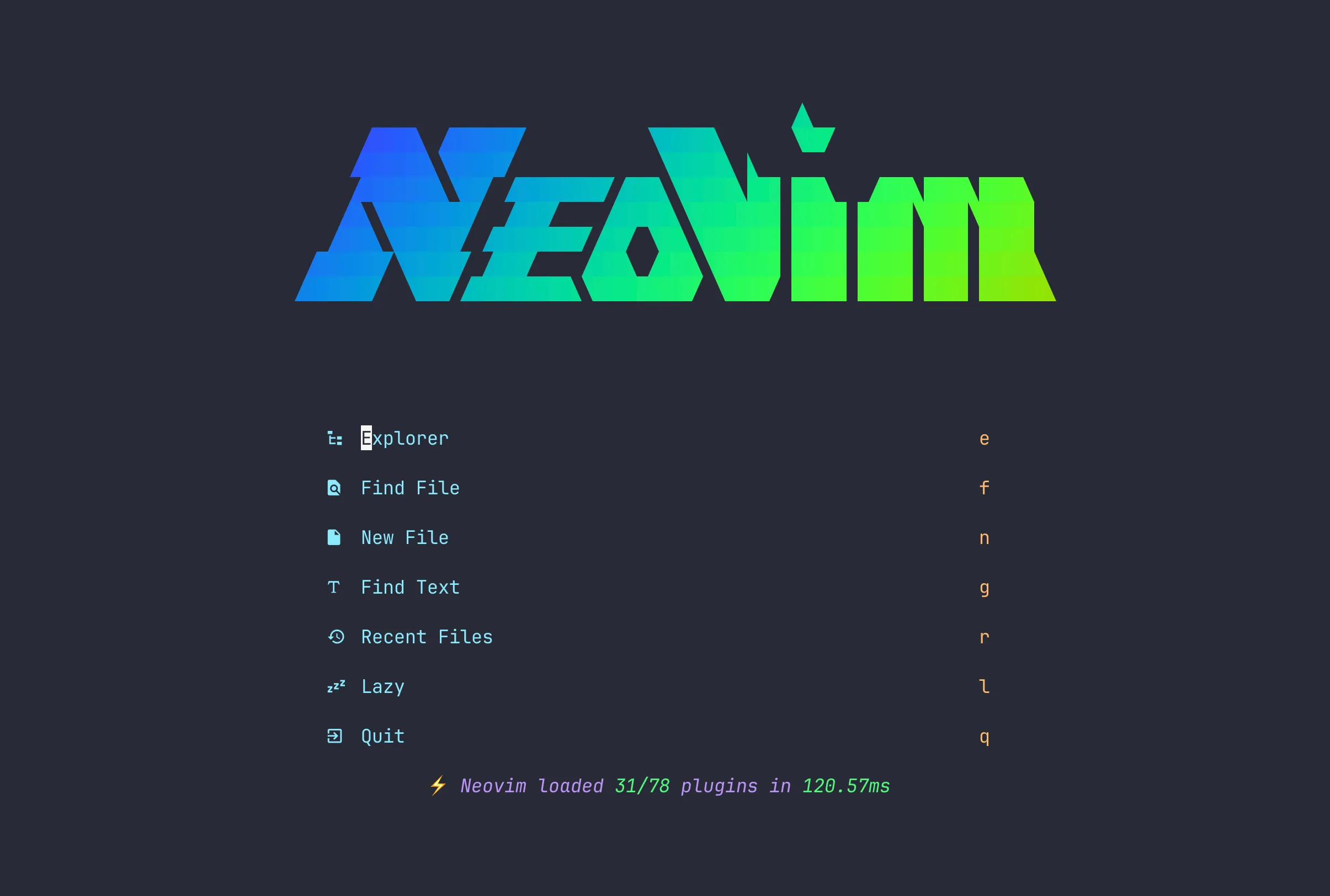 The Snacks dashboard. The rainbow wordmark is a pre-rendered ANSI file,
cat-ed at startup — 31 of 78 plugins loaded in ~120 ms.
Fewer plugins, not zero: my config manages 78 of them with lazy.nvim. It’s public at r0llingclouds/nvim. Like so many configs, it started as kickstart.nvim, and over time I broke it apart into modules — five core files for options, keymaps, autocommands, and filetypes, plus 24 plugin specs grouped by what they do rather than by plugin. The lockfile is committed to git, so a fresh machine gets exactly the plugin versions I’ve already tested.
The screenshot above is the dashboard you land on. That rainbow wordmark is not computed at startup: it’s a text file I piped through lolcat once and saved with the colors baked in, so drawing it costs nothing. Neovim starts in about 120 ms with a third of the plugins loaded. The rest wait until something actually needs them.
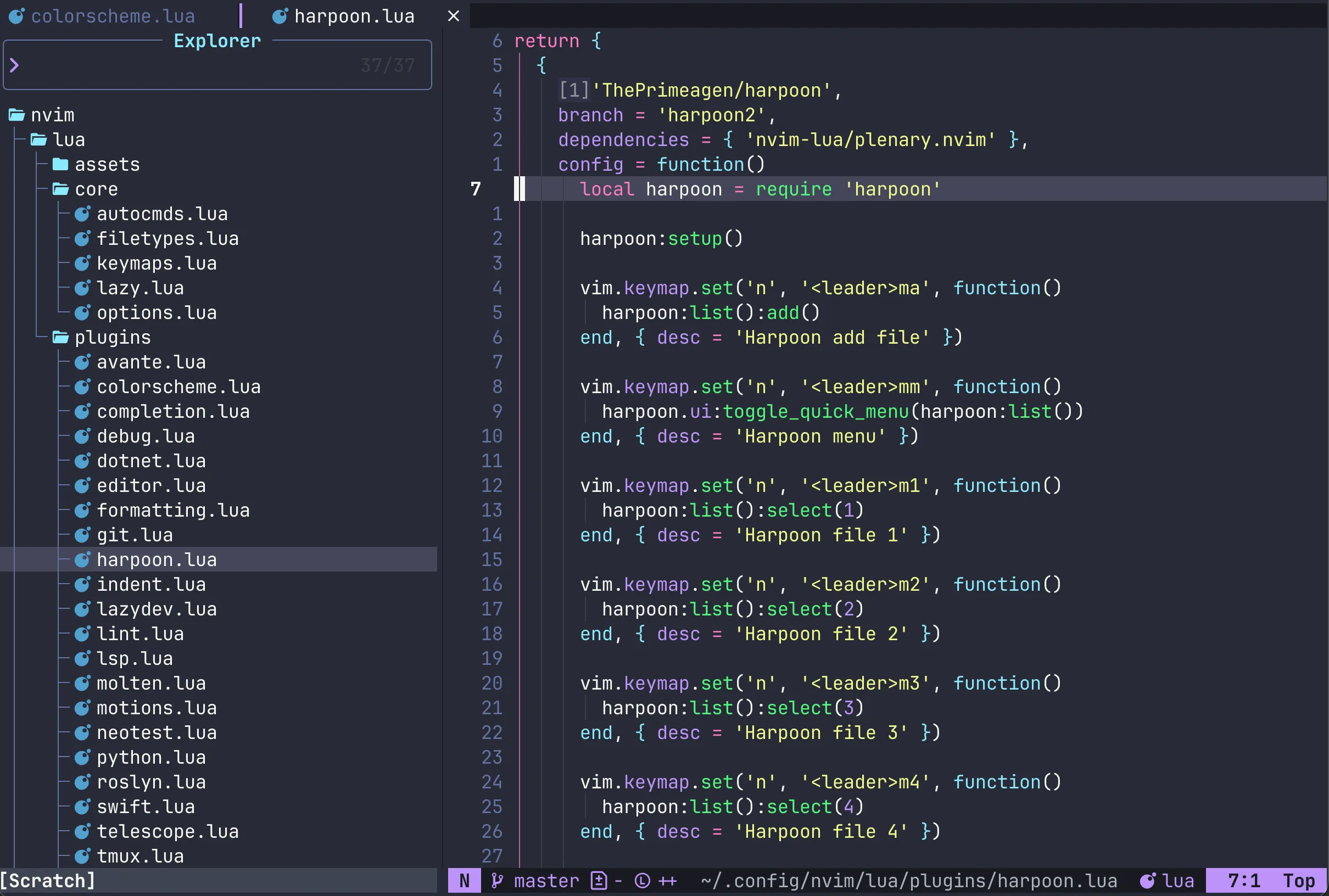 The Snacks explorer next to a plugin spec — dracula with transparent
background, bufferline up top, mini.statusline below.
The Snacks explorer next to a plugin spec — dracula with transparent
background, bufferline up top, mini.statusline below.
Day to day, the editor looks like this: the dracula theme over a transparent
terminal, with the Snacks explorer on the left. Transparency needed
defending, funnily enough — switching themes silently resets it, so an
autocmd puts it back every time. Ten more themes are installed and one
keypress away. For getting around I use two pickers on purpose: Snacks
handles jump-to-definition and references, Telescope handles search,
diagnostics, and the rest. Completion is blink.cmp, with its fast Rust
matcher and no nvim-cmp anywhere. And flash.nvim owns the s key for
jumping around the screen — which meant evicting mini.surround to gs, a
conflict documented in comments on both sides so future me doesn’t
reintroduce it. When I hesitate mid-shortcut, which-key pops up and shows me
the rest of the map.
One more piece sits around all of this: tmux. Neovim always runs inside it,
and both sides load vim-tmux-navigator, which is the whole trick —
Ctrl-h/j/k/l moves between Neovim splits and tmux panes as if they were
one program, so the editor, a scratch shell, and whatever is running in the
next pane are all a single keystroke apart. The
tmux config itself is sixty lines:
the prefix moved to Ctrl-s, vim keys for selecting and resizing panes, and
the catppuccin theme with the status bar up top.
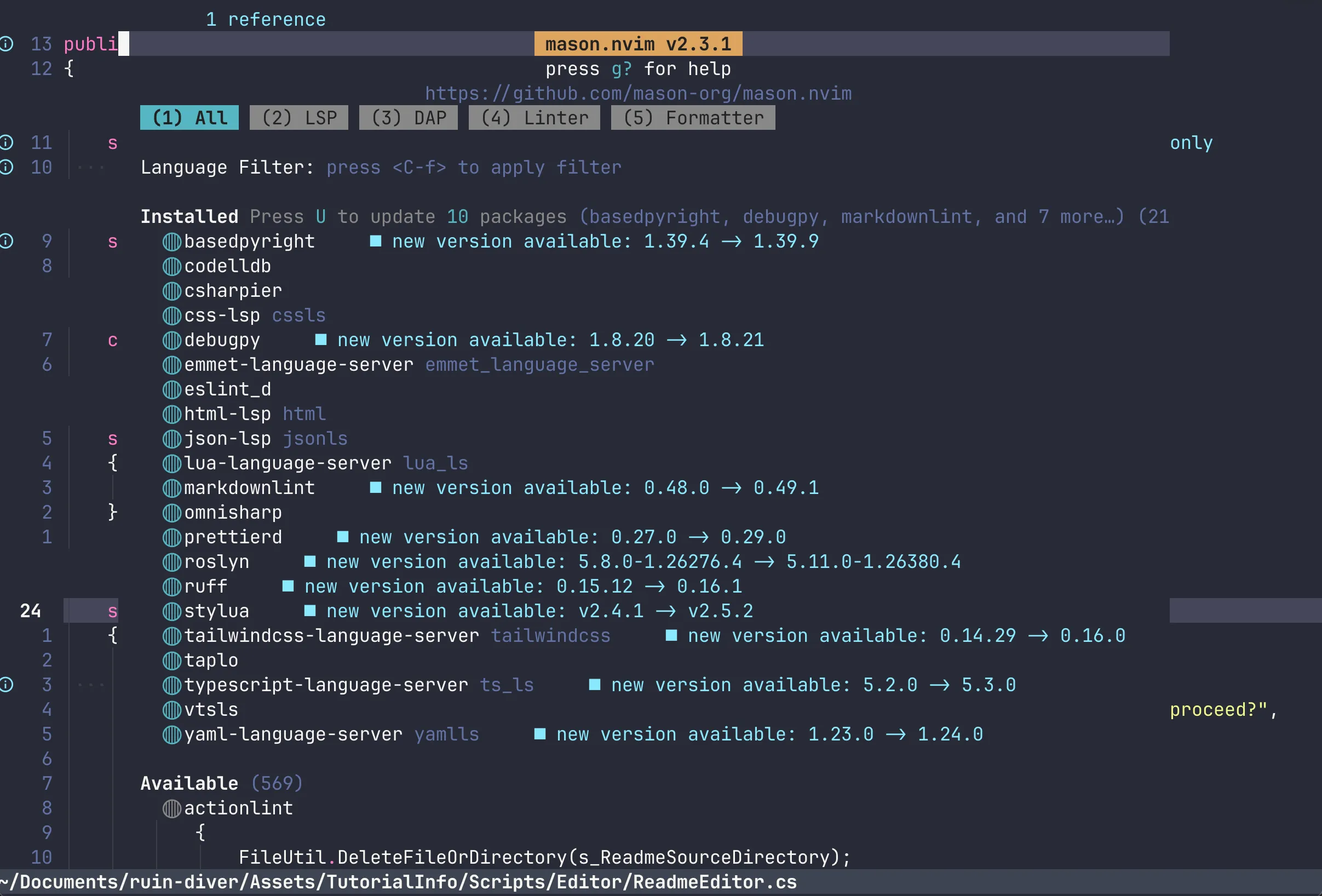 Mason managing the toolchain: language servers, formatters, linters, and
debuggers, with updates one keypress away.
Mason managing the toolchain: language servers, formatters, linters, and
debuggers, with updates one keypress away.
The language layer is where a 2026 config differs most from an older one.
Everything goes through Neovim’s native vim.lsp.config() and
vim.lsp.enable() now — no wrapper plugins, no per-server glue. Mason, in
the screenshot above, just installs things: basedpyright and ruff for
Python, vtsls for TypeScript, lua_ls for the config itself, and a handful of
servers for web work. The interesting part is the tuning, because that’s
where actual problems get solved. Ruff and basedpyright both want to answer
hover requests, so ruff’s is turned off. Basedpyright runs in standard
mode because the stricter setting drowns dynamic ML code in warnings.
Formatting on save runs through conform — Python gets the full ruff chain of
fix, organize imports, and format — but markdown is exempt entirely, because
my notes live in markdown and I don’t want prettier reflowing them.
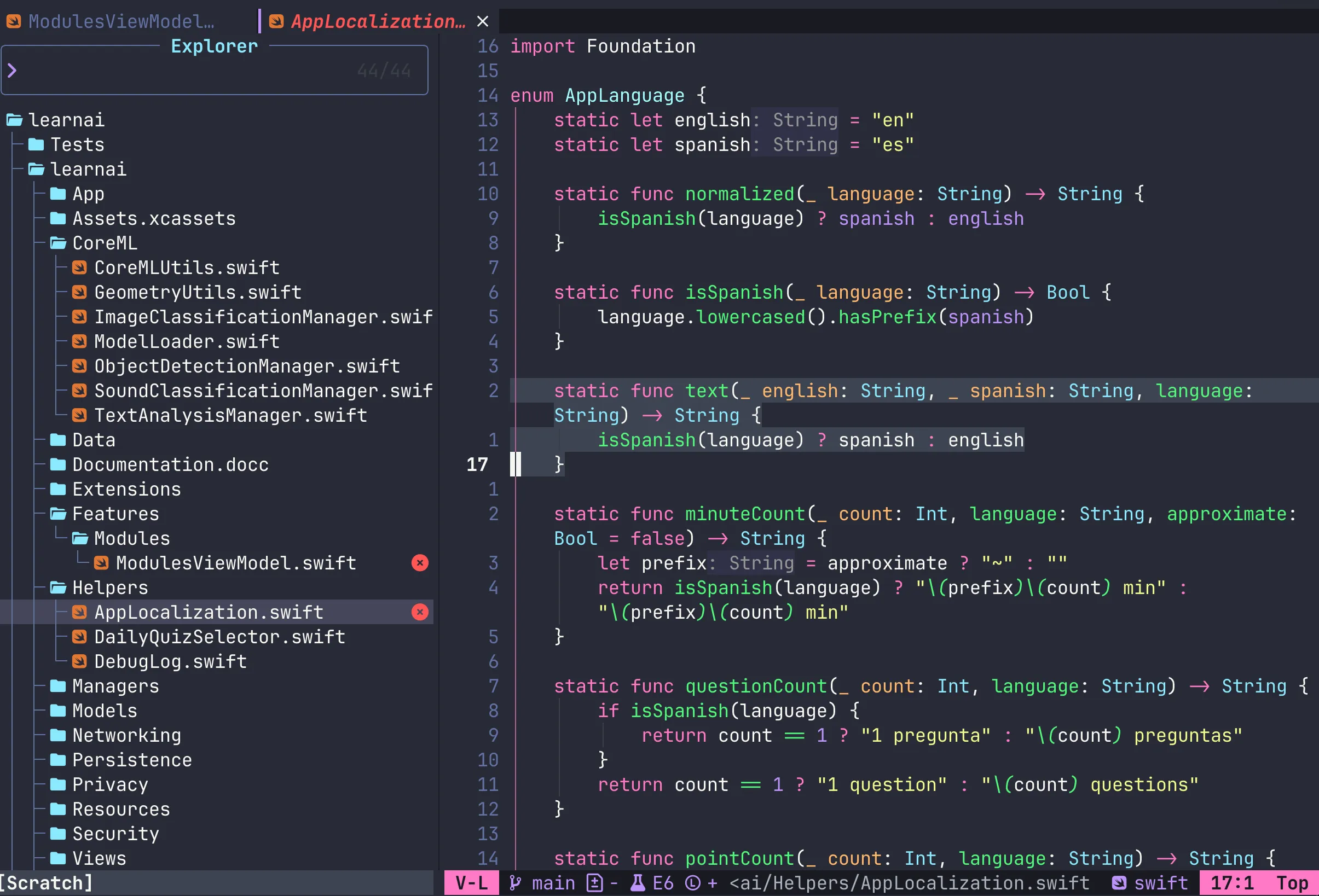 An iOS app in Neovim: sourcekit-lsp on the Swift code, xcodebuild.nvim for
build, run, and test — Xcode stays closed.
An iOS app in Neovim: sourcekit-lsp on the Swift code, xcodebuild.nvim for
build, run, and test — Xcode stays closed.
In the end, one config does four fairly different jobs. Python for AI and ML
work, where molten runs a real Jupyter kernel inside the buffer and
matplotlib plots render inline in the terminal. C# for Unity, where
roslyn.nvim runs Microsoft’s Roslyn language server — file watching off,
because the default freezes saves for a couple of seconds on Unity projects
— and F5 attaches the debugger to the running editor. TypeScript for this
blog. And Swift is the newest addition, in the screenshot above: sourcekit-lsp
plus xcodebuild.nvim, which builds, runs, and tests an iOS app on a
simulator or a real device without opening Xcode once.
The AI setup is deliberately small: one plugin, avante.nvim, which brings
the Cursor workflow into Neovim. A keypress opens a sidebar where I ask
about the file I’m in, or I select a few lines and describe the change I
want. The answer doesn’t come back as a wall of text to copy from — it comes
back as a diff against my actual code, and I apply it hunk by hunk or all at
once, without leaving the buffer. In the prompt I can @mention other files,
open buffers, or the current diagnostics to give the model context, and
paste screenshots straight in. Each project can carry an avante.md with
standing instructions, the same idea as a CLAUDE.md. Mine talks to Claude
Sonnet by default, with Kimi configured as a second provider; API keys come
from the environment, and the whole thing loads only when invoked. I tried
Copilot and removed it.
One habit is what keeps all of this maintainable: nearly every non-obvious line in the config has a comment saying why it’s there — which servers clashed, which setting froze saves, which default broke. With 78 plugins across four language stacks, those comments are the difference between a setup I can evolve and one I’d be afraid to touch.
So where does that leave Neovim in 2026? Healthier than it has ever been, I think. The core keeps absorbing what used to require plugins — package management, LSP, completion — and every piece it absorbs makes configs like mine smaller. I wouldn’t be surprised if half my plugin list is redundant in a couple of years, and I’d welcome it. The timing is good, too: as more code gets written alongside AI agents that live in the terminal, an editor that lives there as well — fast, scriptable, driven entirely by text — feels less like nostalgia and more like the right tool meeting its moment. Twelve years after the fork, Neovim is becoming the best version of itself.