ruin diver: a prototype
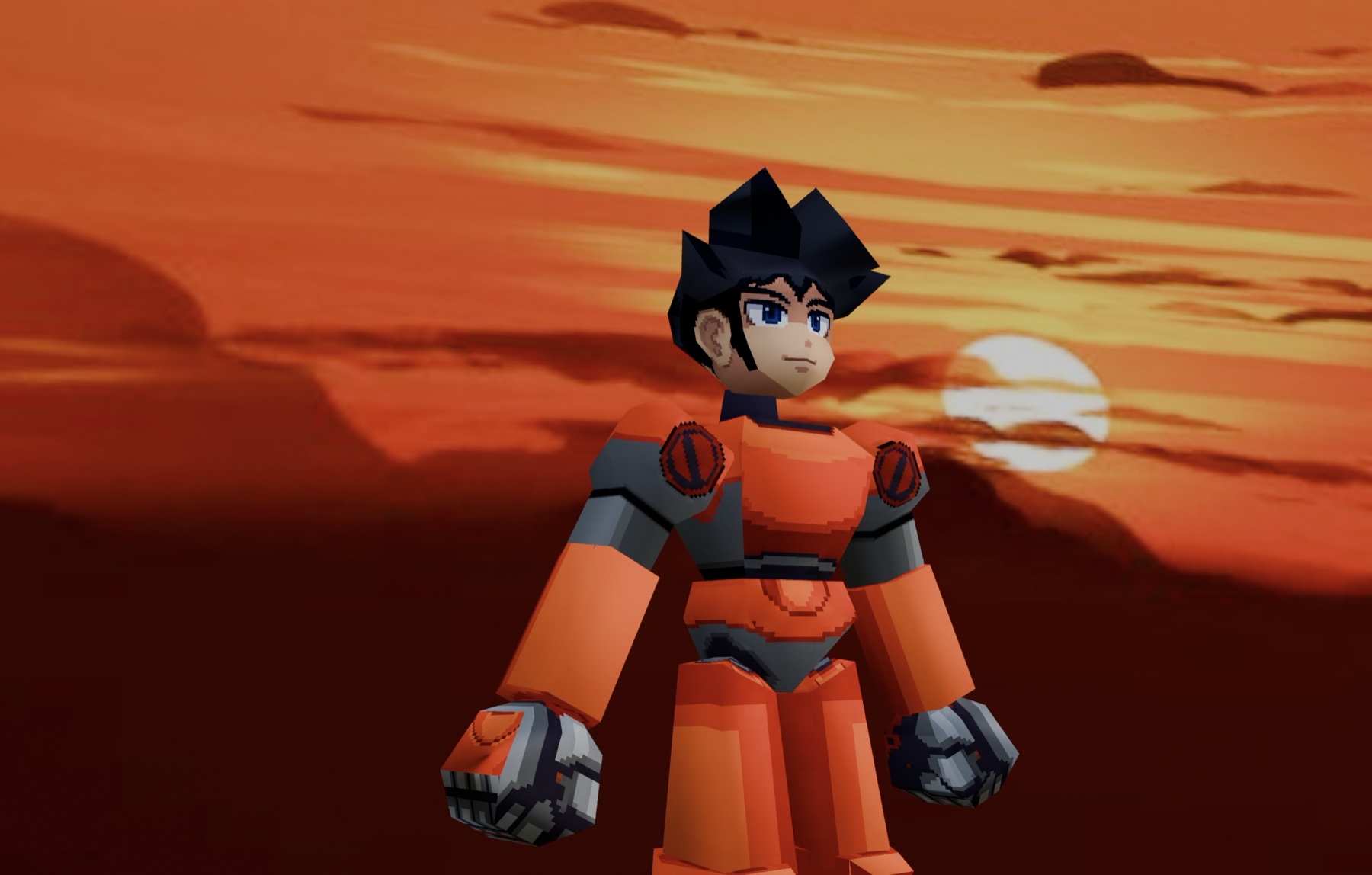
I’ve been quietly building a small game called Ruin Diver — a third-person action game about poking around old ruins, shooting the things that live in them, and hauling the junk you find back to a shop. The whole thing is a tribute to PSX-era 3D: chunky low-poly characters, pixel-art faces painted straight onto flat textures, and a bright little overworld you can walk around in.
The prototype crossed the line and started being something functional. Below: what it looks like, a 22-second walk through it, and notes on how the pieces get made — modeling, rigging, camera, shaders — and the things that fought back along the way.
the shape of it
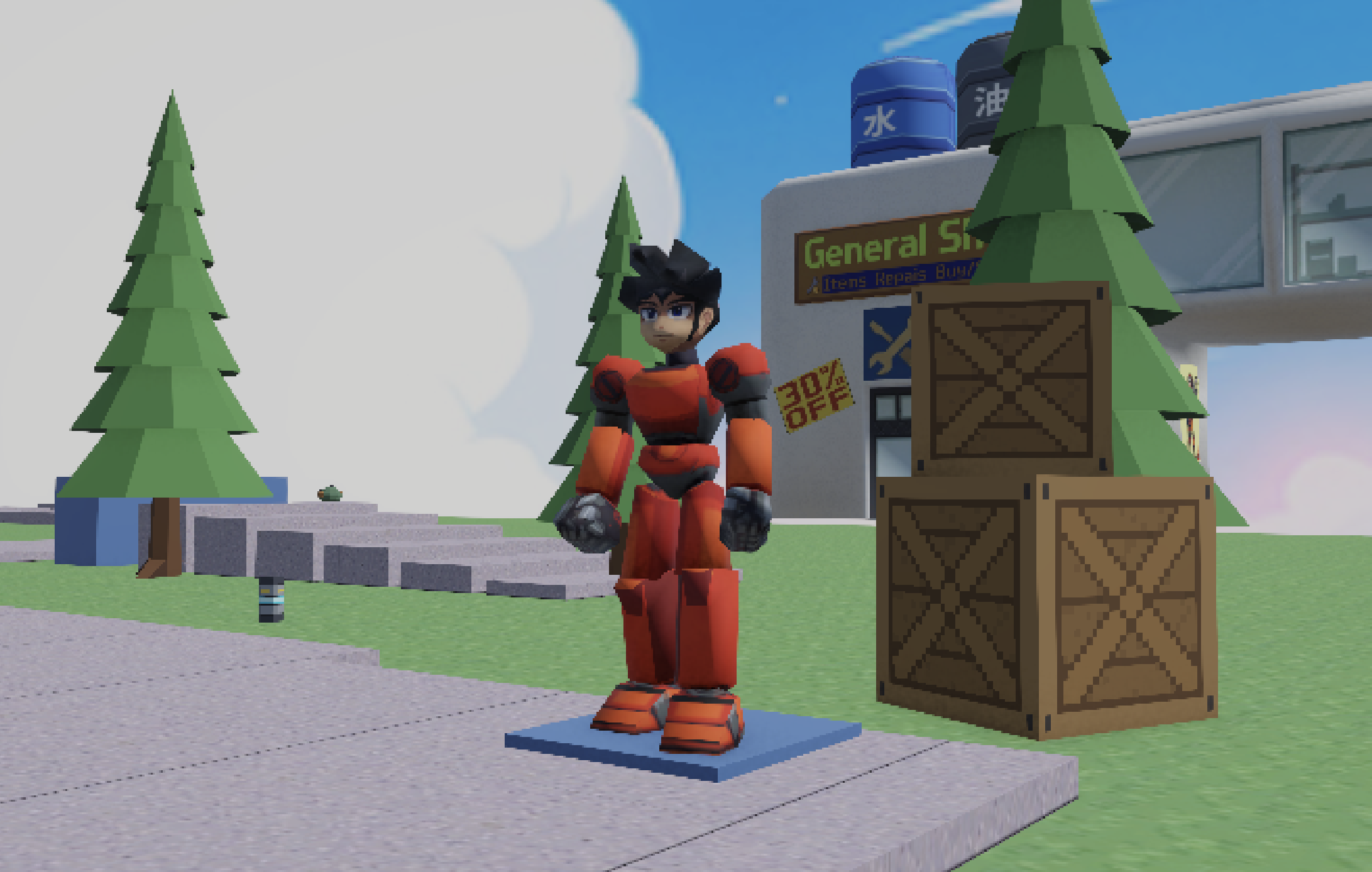
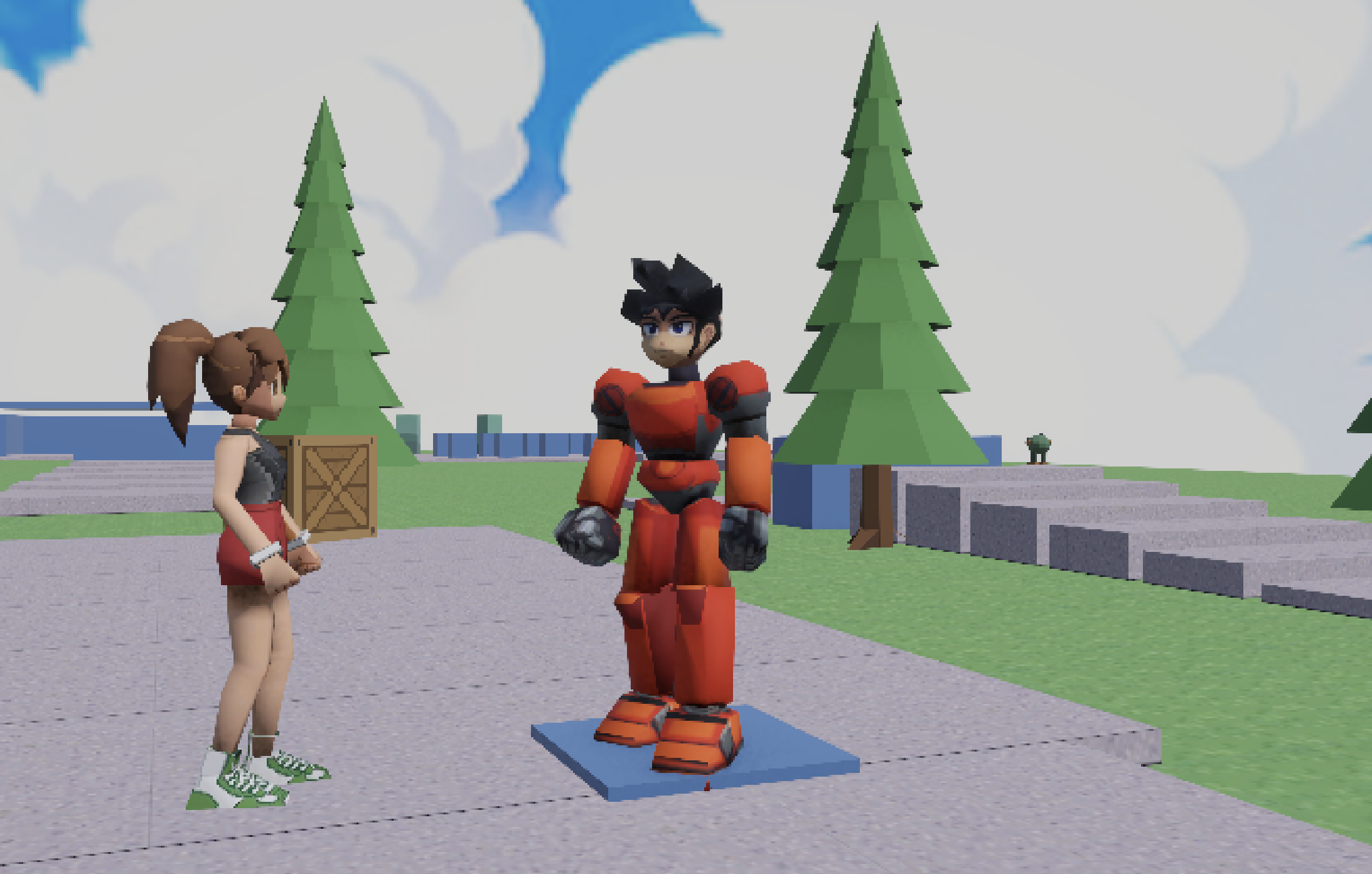
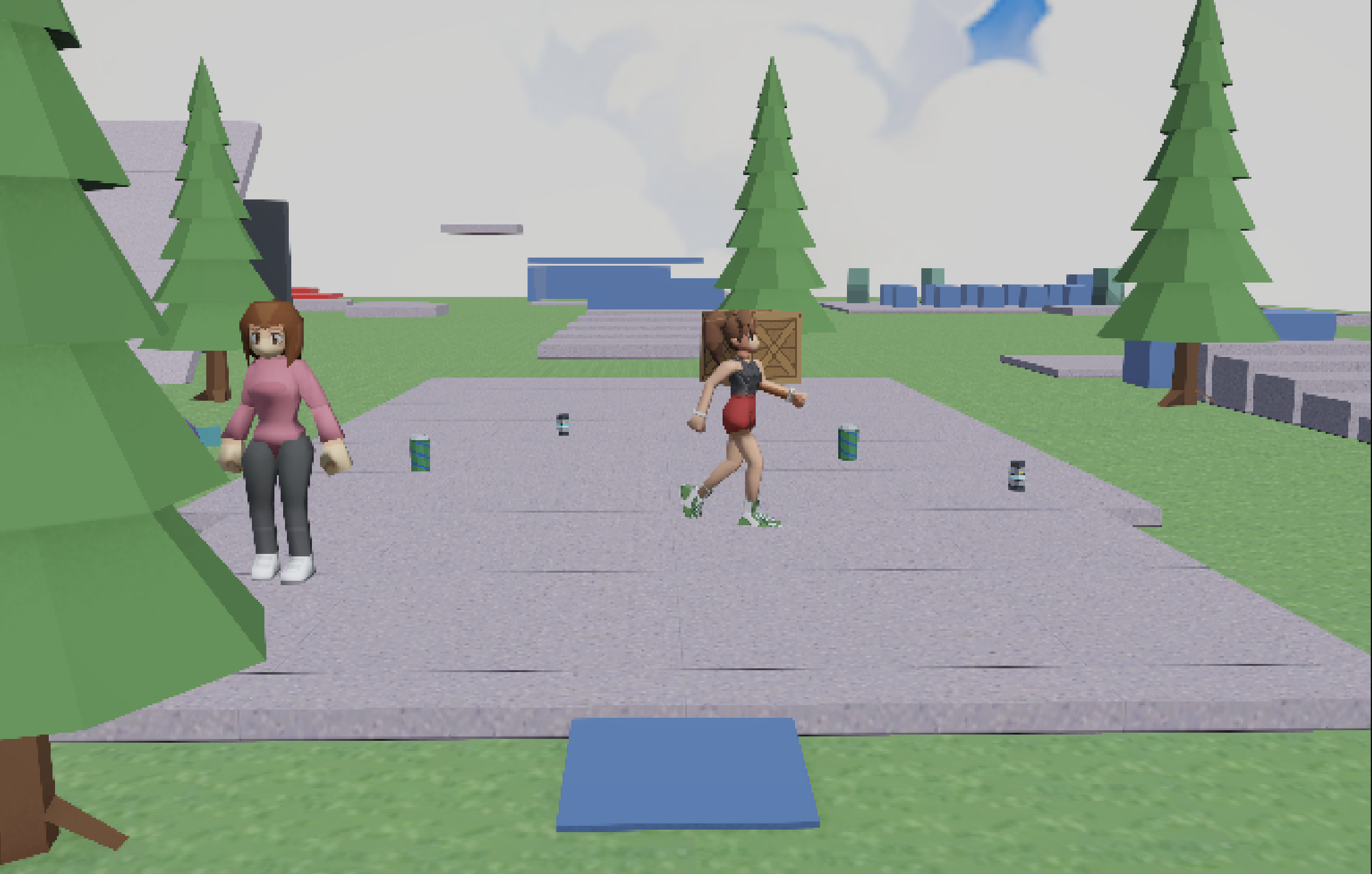
Scope for v1 is deliberately tiny: one hub level, a handful of NPCs, one shop, basic combat, and a movement set that feels good enough to justify everything else. The level itself is gray-box-plus — the platforms and steps are a real movement test course (step heights, slopes up to the controller’s limit, jump gaps, balance beams, moving platforms), but it’s dressed just enough to read as a world: grass, pines, crates, energy drink pickups, and a painted-cloud sky.
The sky is the cheapest win in the scene: a single equirectangular anime-cloud painting on Unity’s panoramic skybox shader. I rotated the skybox so the painted sun sits at the same azimuth as the directional light, so shadows and sky agree. (First attempt was a non-panoramic pixel sky stretched around the sphere. Every pixel block ended up five degrees wide and it pinched into a vortex at the zenith. Some images are backdrops, not skyboxes.)
modeling: rigid pieces, painted faces
The player is the most PSX-flavored thing in the project. It’s built the way PS1 characters were actually built: not one continuous skinned mesh, but separate rigid pieces — chest, waist, upper legs, boots, forearms, hands — each parented to a single bone. No skin weights blending across joints, no candy-wrapper deformation, and the silhouette gets that mechanical snap when limbs rotate. For an armored character it’s not even a compromise; armor should move like that.
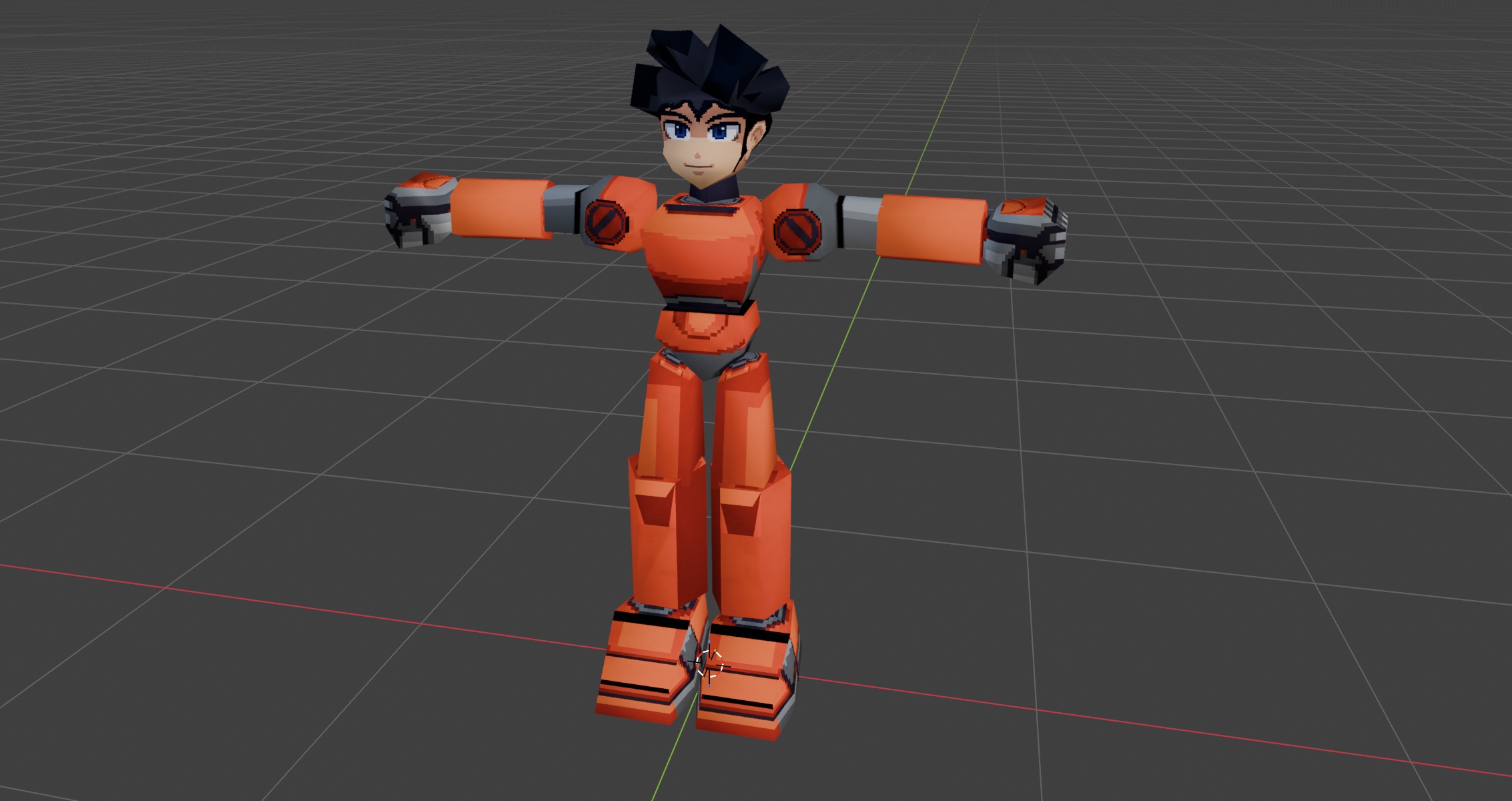
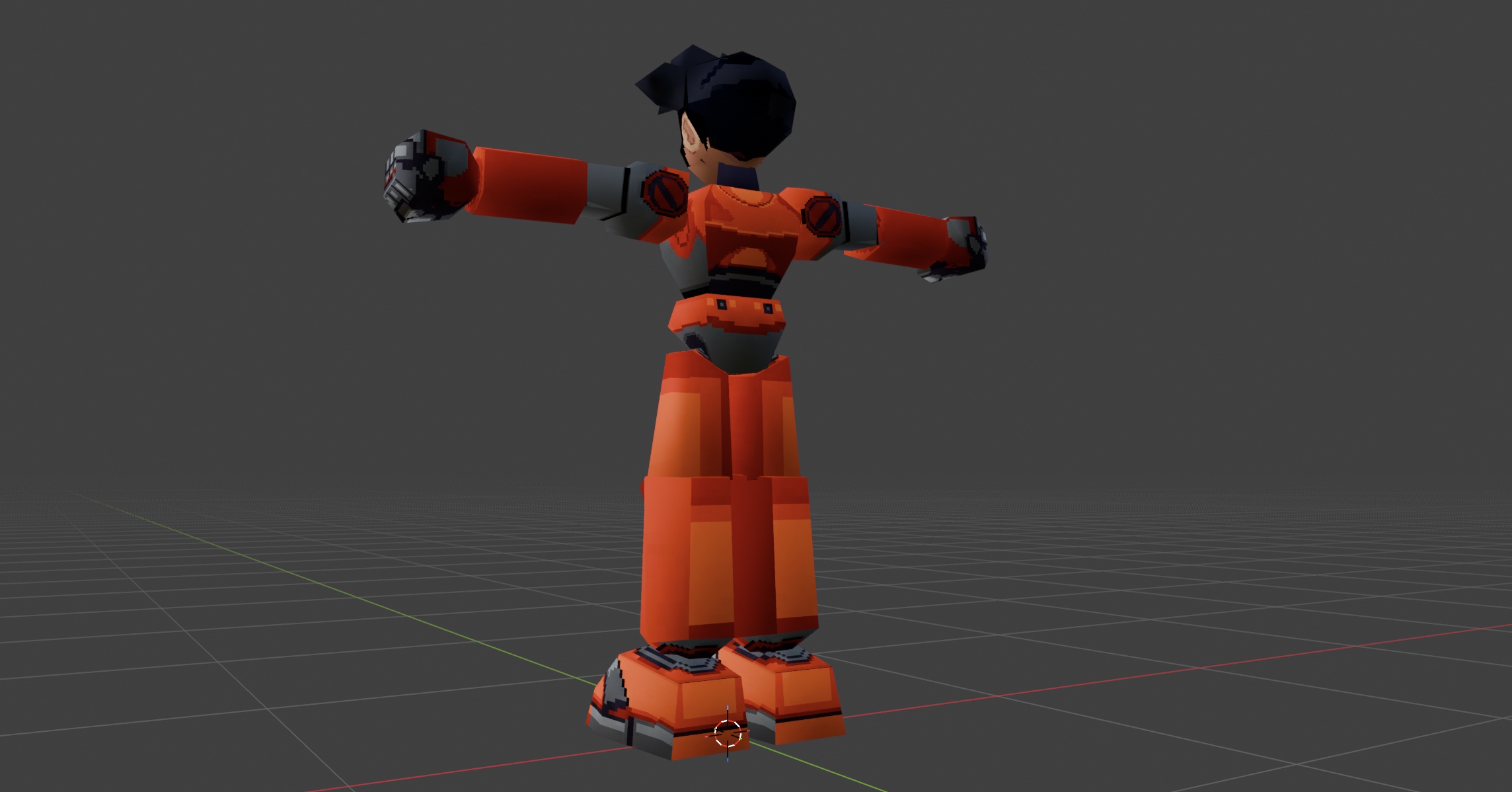
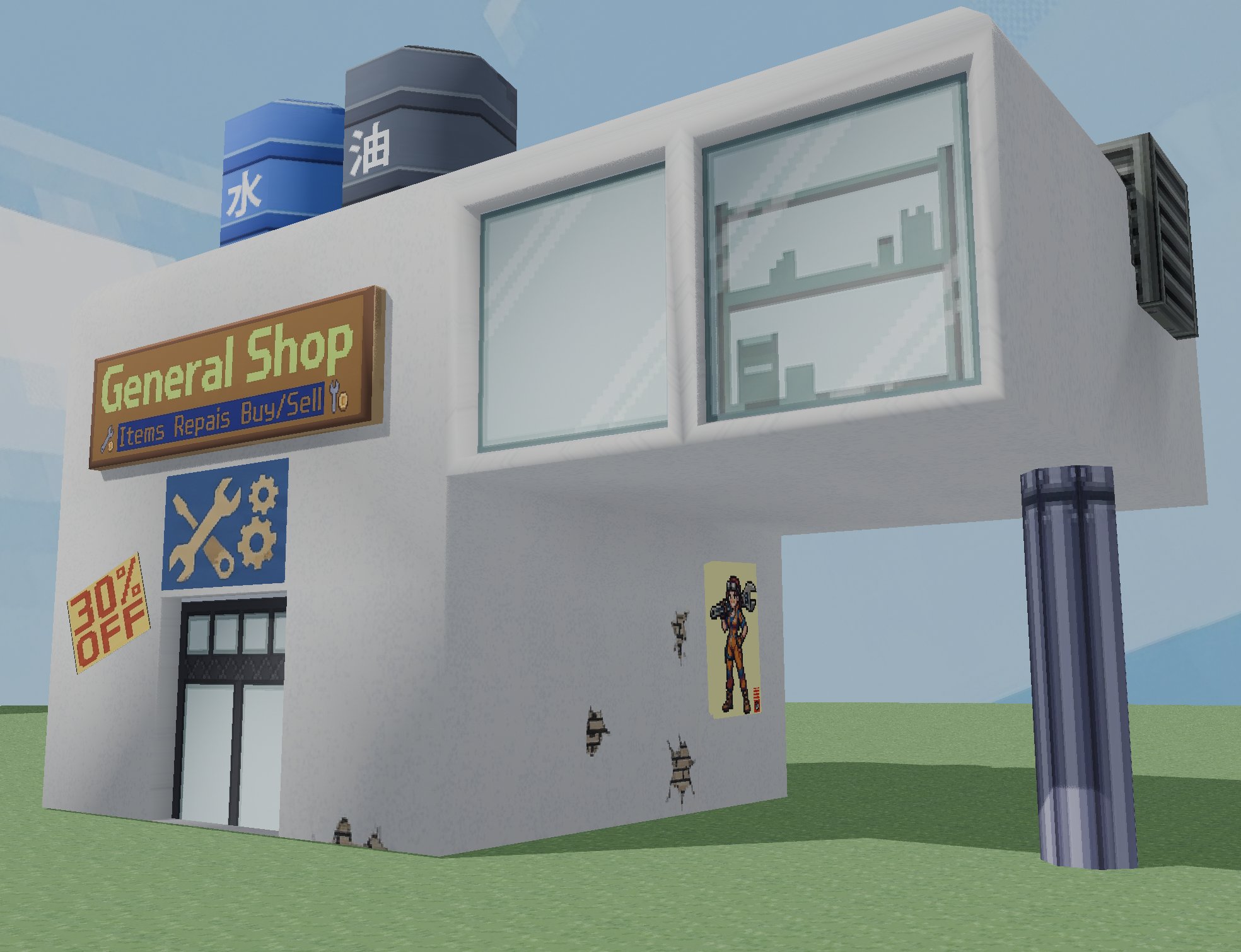
Faces never get geometry. Eyes, brows, mouth — all painted into a small texture, pixels deliberately visible. Same for armor greebles: the hatches and vents on the shop barrels, the shoe treads, the wristbands. If a detail can live in the texture, it lives in the texture. Poly budgets stay in the hundreds: the gym girl NPC below is roughly 700 triangles, the entire shop building is about a thousand.
rigging: rigify in, plain skeleton out
Characters that do deform — like the gym girl NPC — get rigged in Blender with Rigify’s basic human. Rigify generates a monster of a control rig (216 bones for her), but only 33 of those actually deform the mesh. The trick to getting her into Unity was realizing the control rig should never leave Blender: export only the deform bones, stitched into one clean tree, and let Unity’s Humanoid system map it.
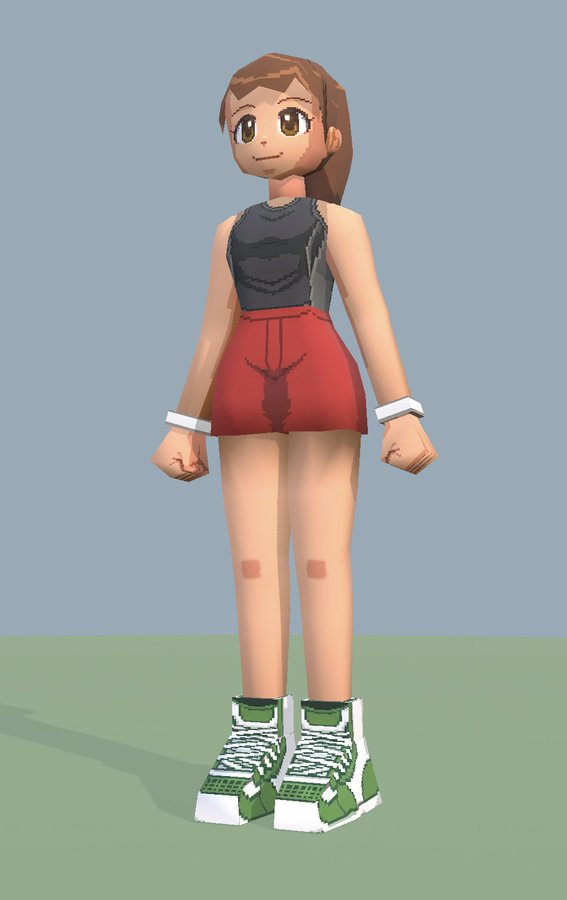
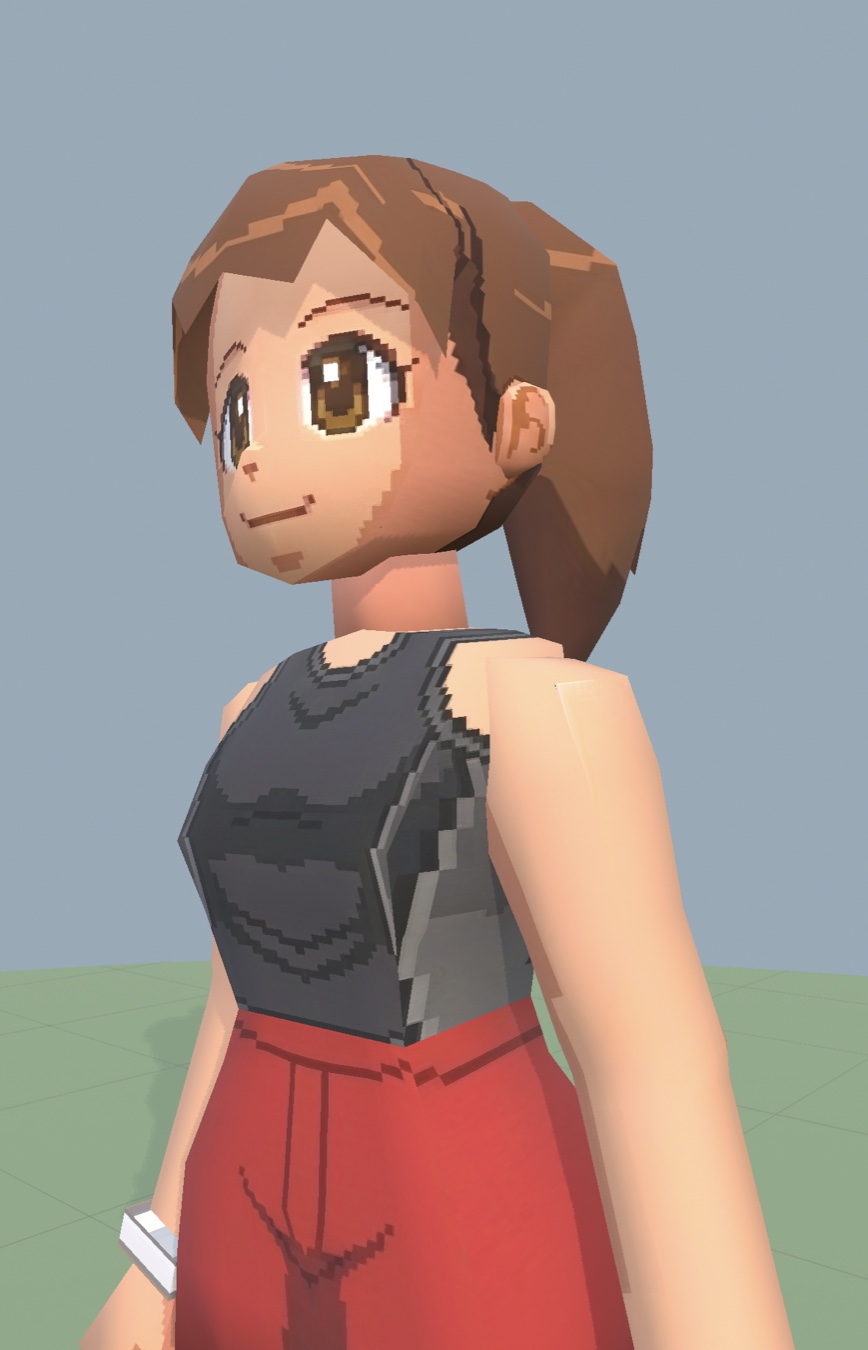
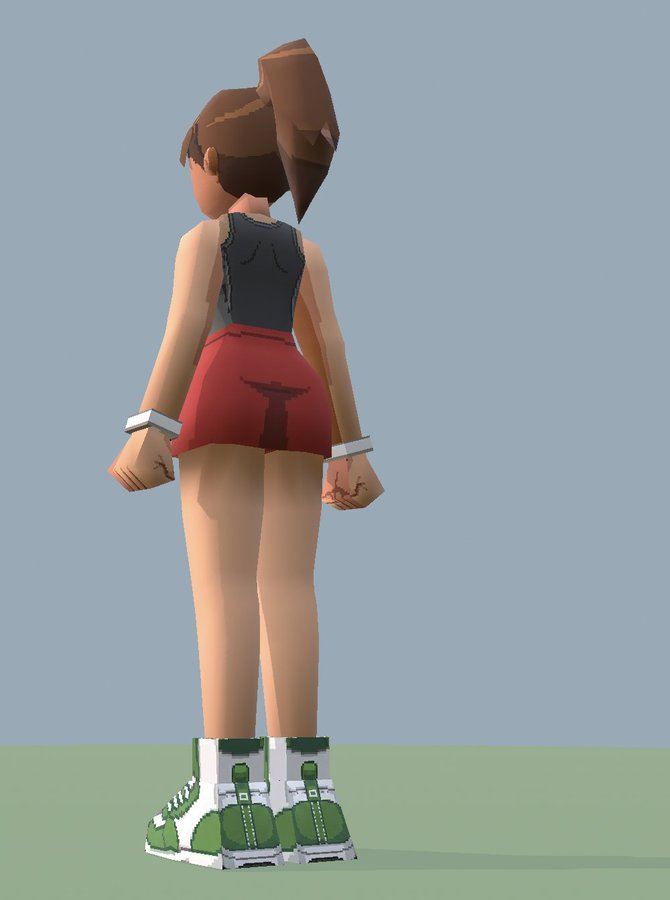
Going Humanoid pays for itself immediately at solo scale: I don’t animate walk cycles. Unity’s humanoid retargeting stores animation as normalized muscle curves, so one shared animator controller — idle, walk, a little startled “react” state — drives every NPC in the game, regardless of who rigged them or how. The gym girl, with her machine-generated Rigify skeleton, walks with the exact same clips as an NPC rigged by hand on sixteen bones. New character, zero new animation work.
the shop
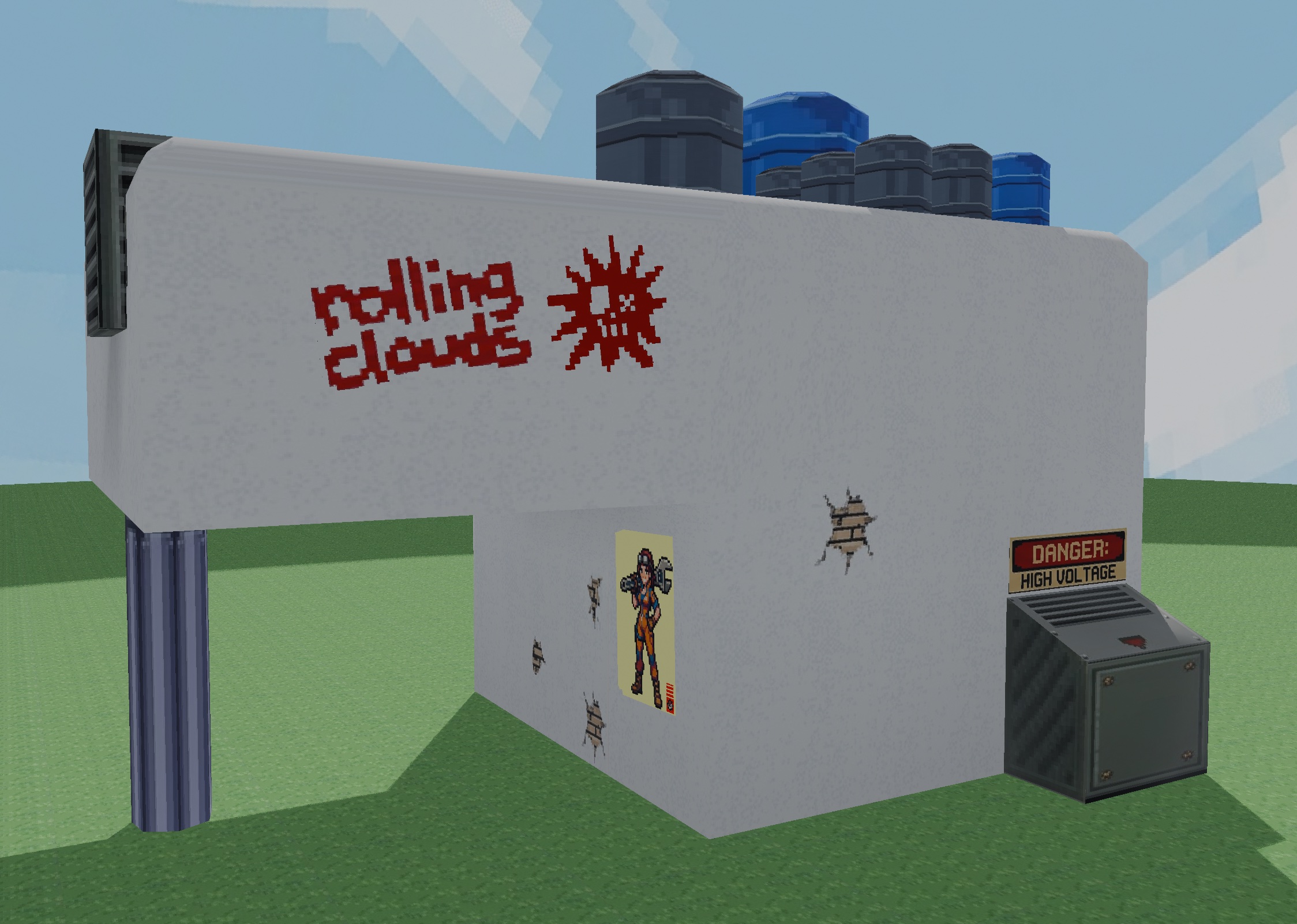
The shop is the first real building: modeled in Blender, textured with one atlas plus a pile of decals — the graffiti and posters are cutout quads floated a centimeter off the wall, which is exactly how you’d have done it in 1997. Water (水) and oil (油) barrels on the roof because every good junk shop hoards utilities.
camera, cursor, and other invisible code
The camera is a third-person orbit driven by raw mouse delta through the new Input System — no cursor position involved, which means the hardware cursor can be locked and hidden during play and nothing breaks. A tiny component polls the UI state every frame: menu or shop open, cursor comes back; back to gameplay, it locks again. Boring code, until it’s missing.
The most interesting shader in the project is also the least visible one. The movement course is made of scaled cubes — a 0.6×10 m balance beam and a 15×11 m arena floor share one material. Unity cube UVs stretch with scale, so any normal texture smears into streaks on long objects. The platforms use a small triplanar world-space shader instead: texture density is a constant two meters per tile on every face of every platform, no matter the object’s scale. One material, thirty-two platforms, uniform speckle.
challenges (a.k.a. the war stories)
The Rigify export forest. Export a Rigify character with “deform bones only” and the skeleton arrives in Unity as a disconnected forest — the spine chain in one tree, the legs dangling under leftover control bones in another. Unity’s Humanoid mapper refuses the lot. The fix is reparenting eight bones before export (thighs and pelvis to hips, shoulders to chest, upper arms to shoulders) so the deform bones form one connected tree. Blender-side surgery, five lines of script, and the file gets reverted after export so the control rig stays pristine.
The double-scaled mesh. Same character imported with a perfect 1:1 skeleton and a mesh eight times too small. Cause: the mesh objects carried non-uniform object scales in Blender, and the FBX pipeline applied them twice — once baked into the vertices, once through the bind pose. Apply-all-transforms before export or suffer.
The head that became an eyeball. Rigify names its neck-and-head chain
spine.004 through spine.006, which tells Unity’s auto-mapper nothing. It
guessed by position, put Head one bone too low, and mapped the actual head
bone as RightEye. Everything technically worked — until a look-at clip
would have rotated her whole skull like a giant eyeball. One manual fix in
the avatar’s bone mapping.
The invisible player. The scariest one. After re-exporting the player model (a UV fix on the head, the most innocent change imaginable), the player vanished — but only in play mode. Edit mode: perfect. Play mode: gone, zero console errors. The cause was Blender’s FBX “Apply Scalings” setting: the new export packed the unit conversion into the armature node as a ×100 scale, where the original had used the FBX-units option. Result: every skinned mesh’s bounds imported at 1/100 size, and at runtime the animator-driven renderers frustum-culled themselves into nonexistence. Diffing the old and new skeletons node-by-node found it. New house rule: when re-exporting over an existing FBX, match the original’s scale packing, and always playtest a skinned re-export — edit mode will lie to you.
Textures that refuse to travel. FBX “embed textures” from Blender sounded convenient. Unity imported the materials and silently dropped every texture, twice, with two different import modes. Gave up on embedding entirely: textures get copied as loose files and wired into proper URP materials. More explicit, more versionable, actually works.
on iteration
Reading the war stories back, a pattern is obvious: nothing in this project was made once. The gym girl exists as a reference sheet, a generated model sheet, three blend files and a backup, a turntable render, and finally an FBX — and she still changed after reaching Unity, because standing next to the other characters revealed she was a head too short. The player model was “finished” weeks ago and got its head UVs redone this week. The level was a gray-box movement course long before it was a place; the sky is the second sky; the shop wall texture went through more versions than the shop has walls.
Not sloppiness, just the shape of the work. The Blender viewport lies to you in specific, predictable ways: it can’t show you scale against the rest of the cast, silhouette in motion, or texture density at gameplay camera distance. Some problems are only visible in-game, so the loop — model, export, place, walk around it, wince, go back to Blender — is the pipeline. The round trips can’t be avoided, only made cheap enough that you never hesitate to take one.
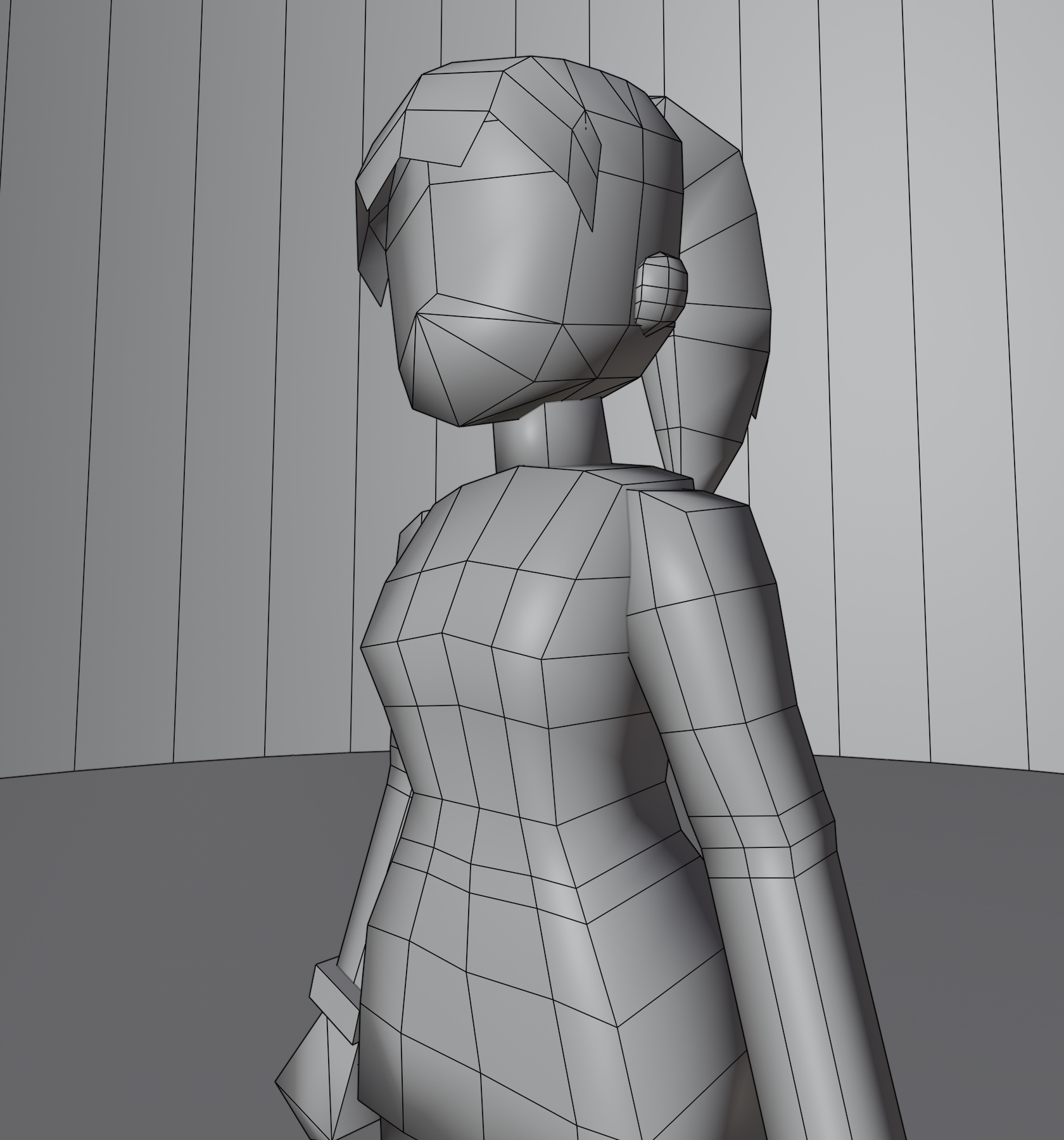
Which is the quiet, practical argument for the whole PS1 aesthetic, beyond nostalgia: a 700-triangle character with a painted face is an afternoon to remake, not a month. When redoing an asset costs almost nothing, you stop treating assets as precious, and the game improves at the speed you can notice problems instead of the speed you can produce polygons. Low-poly is an iteration budget as much as a look.
the workflow behind it
Fitting for this blog: a big slice of this prototype was built by AI driving the tools directly. Blender and Unity both run MCP servers, so Claude can execute code in either — export the FBX, fix the importer, build the NPC hierarchy, take a screenshot to check its own work, and step the Unity editor frame-by-frame to verify a walk cycle actually plays before telling me it’s done. The war stories above were debugged that way too: the invisible-player hunt was a genuine detective story of diffing skeleton hierarchies between two FBX files, and the whole thing — diagnosis to verified fix — happened through tool calls while I watched.
I still make the calls that matter: what the game is, what it looks like, when something reads wrong. But “re-export this character with the fixed UVs and make sure nothing breaks” is a sentence I type now. It used to be an afternoon. For a one-person project chasing a 1997 aesthetic with 2026 tooling, that trade feels right.
what’s next
Ruins. The overworld hub exists so there can be somewhere to come back from — the actual diving needs its first dungeon: interiors, enemies worth the ammo, loot worth hauling to the shop, and a reason the shopkeeper knows your name. Also on the list: shop interior (the shelves silhouetted in the storefront glass are real geometry waiting for their moment), more NPCs for the hub, and sound, which currently does not exist at all.